How to Track Skiing on Your Apple Watch
Why Track Skiing on Apple Watch
Skiing is one of the few sports where pulling out your phone is genuinely inconvenient. You are wearing gloves. Your phone is buried under multiple layers in an inner pocket. The wind is blowing, it is cold, and every time you unzip your jacket to check your stats, you lose body heat and risk dropping your phone on an icy slope.
An Apple Watch solves all of this. Your wrist is always accessible — a quick flick of the arm and a glance gives you the information you need. There is no fumbling with gloves, no unzipping jackets, and no risk of a cracked screen on hardpack. Between runs, while riding the chairlift, or pausing at the top of a descent, you can check your speed, elevation, and run count in under a second.
Beyond convenience, the Apple Watch adds data that your phone cannot capture on its own. Heart rate tracking gives you insight into how hard you are actually working on the mountain. A cruisy run on groomers might keep you at 110 bpm, while a steep mogul field pushes you to 160. Over a full day, this data reveals how physically demanding your skiing really is — useful information for fitness planning and knowing when to take a break.
The Apple Watch also keeps your phone’s battery protected from the cold. Cold weather drains lithium batteries rapidly, and keeping your phone deep in an inner pocket preserves its charge. With the watch handling your real-time stats display, you can leave the phone untouched for hours and still have plenty of battery at the end of the day.
What Your Watch Shows During a Run
The SnowRun watch face is designed for quick glances in bright, variable outdoor light. The display prioritizes the metrics that matter most while skiing, laid out so you can read them at arm’s length without squinting.
During an active recording session, your watch shows:
- Current speed — your live speed in km/h or mph, updated continuously as you ski. This is the number most skiers glance at mid-run to see how fast they are going.
- Distance — cumulative distance covered in the current session, measuring the actual path traveled including turns.
- Elevation — your current altitude, useful for understanding where you are on the mountain and how much vertical remains on the current run.
- Heart rate — real-time heart rate from the watch’s optical sensor. This is exclusive to the watch — your phone cannot measure heart rate on its own.
- Duration — total elapsed time for the current session.
- Run count — how many individual runs you have completed so far today.
The display uses high-contrast text and clear typography optimized for outdoor readability. Numbers are large enough to read through goggles and at the quick glance angle typical of checking your wrist while holding ski poles.
Setting Up SnowRun on Apple Watch
Getting SnowRun running on your Apple Watch takes about two minutes. The companion watch app installs automatically when you install SnowRun on your iPhone, so there is no separate download or configuration required.
Here is the setup process:
- Step 1: Install on iPhone. Download SnowRun from the App Store on your iPhone. Create an account or sign in if you already have one.
- Step 2: Check your watch. The SnowRun companion app automatically installs on your paired Apple Watch. You should see it in your app grid within a few minutes. If it does not appear, open the Watch app on your iPhone and scroll to SnowRun in the list to enable it manually.
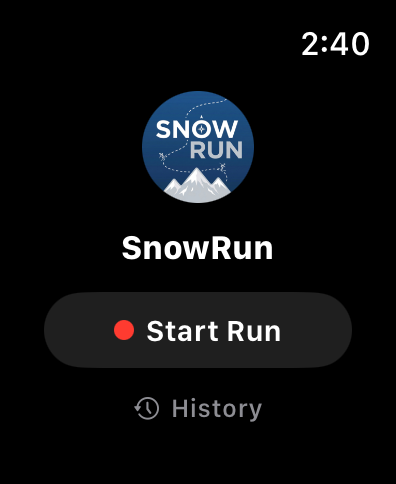
- Step 3: Open on your watch. Tap the SnowRun icon on your Apple Watch. The app connects to your iPhone and is ready to go.
- Step 4: Start a session. You can start a recording session from either your watch or your phone — both stay in sync. Tap the start button on whichever device is more convenient and begin skiing.
Once a session is active, both devices record simultaneously. The watch displays your real-time stats while the phone handles the heavier processing and map rendering in the background. You do not need to interact with your phone at all during the ski day if you prefer to leave it in your pocket.
Before heading to the mountain, make sure both devices are charged and your Apple Watch is snug on your wrist (under your jacket cuff is fine — the sensors work through fabric as long as the watch is against your skin). A loose watch can give inaccurate heart rate readings, especially during high-movement activities like skiing.
How SnowRun Helps
SnowRun’s watch companion is designed to be simple and invisible. It does not demand your attention — it quietly records everything and shows you the numbers when you want them. Here is how the pieces fit together:
Automatic sync. The watch and iPhone stay connected throughout your ski day. When you start or stop a recording on one device, the other follows. There is no need to start sessions separately on each device or manually transfer data afterward.
Real-time stats on your wrist. Speed, distance, elevation, heart rate, and run count are all visible on the watch face during an active session. The display updates continuously, so you always see current data, not stale numbers.
Full data on iPhone after skiing. While the watch shows the essential stats, your iPhone stores the complete GPS trace and detailed run data. After your session, open SnowRun on your phone to replay runs on the resort map, review detailed stats for each descent, and see your day in the season journal. The watch captures the moment; the phone preserves the memory.
Heart rate in your summary. Because the Apple Watch measures heart rate throughout your session, your run summaries include heart rate data alongside speed and distance. You can see your average and peak heart rate for each run, giving you a fitness dimension that GPS alone cannot provide. This data also syncs to Apple Health as a skiing workout, contributing to your activity rings and fitness history.
The watch app is designed to work without needing to touch the screen once you start. No scrolling, no swiping, no navigating through menus with frozen gloves. Start the session, ski, and glance at your wrist whenever you want to see the numbers. That simplicity is the whole point.
Track every run from your wrist
Speed, distance, and heart rate on your Apple Watch — phone stays safe in your pocket.
Download SnowRun FreeFrequently Asked Questions
Which Apple Watch models work?
SnowRun supports Apple Watch Series 4 and later running watchOS 10.0 or newer. This includes Series 4, 5, SE, 6, 7, 8, SE (2nd gen), 9, 10, and Ultra models.
Does the watch app work without my phone?
The watch companion requires your iPhone to be nearby for GPS data and session management. Keep your phone in an inner jacket pocket — it does not need to be accessible, just within Bluetooth range.
How is battery life when tracking?
Expect roughly 4 to 6 hours of continuous tracking on a full charge, depending on your watch model and conditions. Cold weather reduces battery life, so starting the day fully charged is recommended. Most skiers find this covers a full day on the mountain with breaks for lunch.